WordPress Multisite provides a structured way to manage multiple websites through a single installation. It works well for organizations that maintain separate sites under one domain structure or manage large collections of related properties. At Arhpez Technologies, we guide teams through Multisite planning, deployment, administration, and performance tuning. This guide explains how Multisite works, how to configure a stable network, the real scenarios where it fits, and the issues that tend to appear in long-term use.
What WordPress Multisite Architecture Means
WordPress Multisite is a network architecture that lets you run multiple sites under a single WordPress installation. Each site shares the same codebase, installed plugins, and theme files. Core updates only need to be applied once. Although the network shares files, each site has its own database tables for posts, pages, settings, and user roles.
A Multisite network uses one of two structures:
- Subdirectories (example.com/site2)
- Subdomains (site2.example.com)
This structure is determined during setup and cannot be changed later without significant reconfiguration.
When Teams Choose Multisite
Multisite works best when websites are related in purpose or share common functionality. Teams often adopt the architecture to maintain consistent settings or enforce design standards. Agencies use it when they maintain client microsites that follow one master design.
If you plan to build a connected ecosystem of WordPress properties, our WordPress development team can help design your network for long-term stability.
Technical Requirements for a Stable Multisite Setup
A Multisite environment demands stronger hosting resources than a single WordPress site. The server must support wildcard subdomains if you choose the subdomain structure. Caching layers should be configured carefully because network traffic increases database load. Object cache systems like Redis stabilize large installations by reducing repeated queries.
Your hosting environment should support:
- Wildcard DNS
- PHP memory limits high enough for the full network
- Proper file permissions
- A database engine tuned for high read and write activity
Because the network shares one codebase, a small configuration issue affects every site.
How to Enable WordPress Multisite
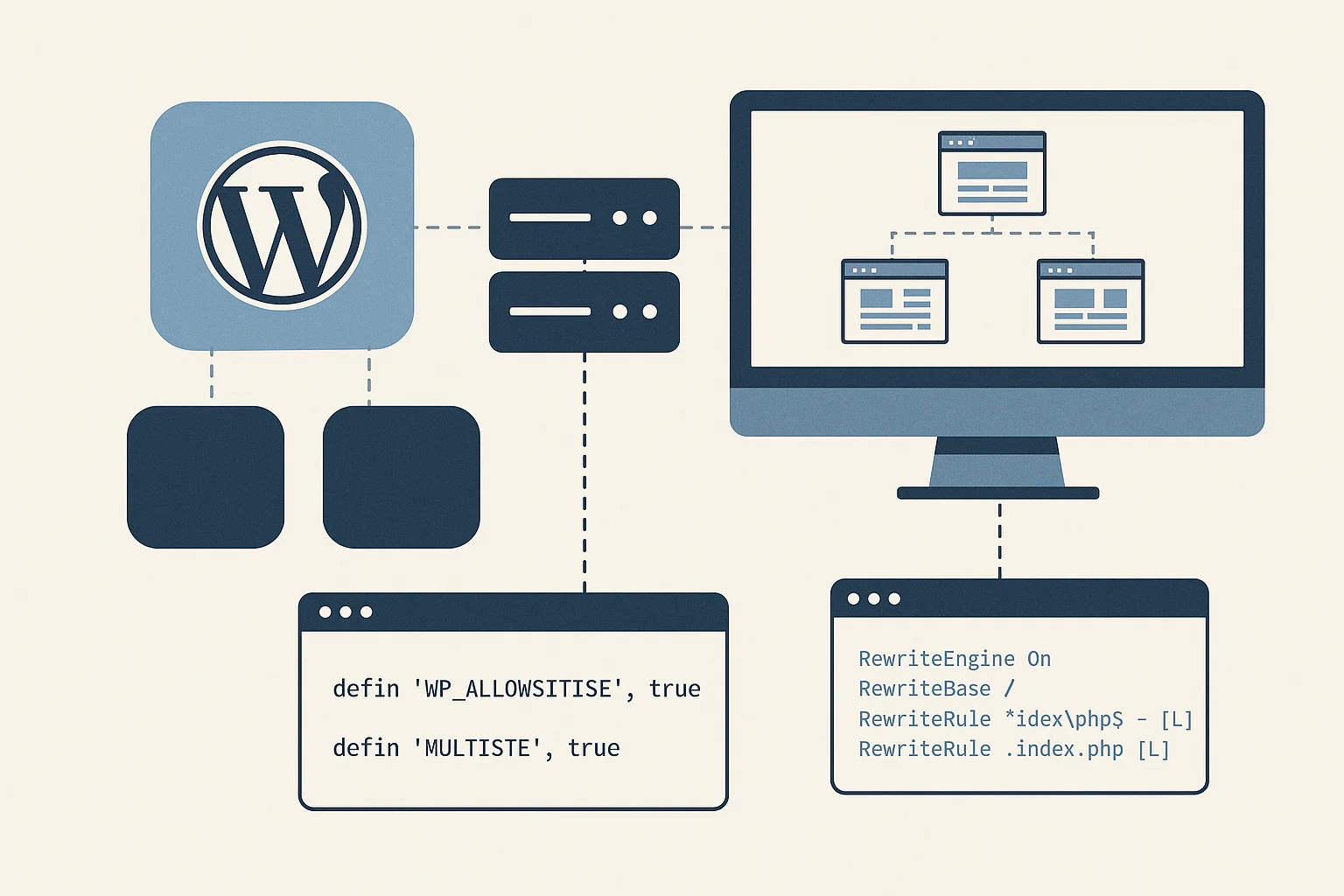
The activation process requires controlled steps. Below are the code snippets that WordPress provides during setup.
Step 1. Enable Multisite in wp-config.php
Add this line above the / That is all… comment:
| define( ‘WP_ALLOW_MULTISITE’, true ); |
Refresh your WordPress admin area to access the Multisite installation screen.
Step 2. Configure the network code
After choosing subdomain or subdirectory mode, WordPress provides code that must be inserted without modification.
wp-config.php additions:
| define( ‘MULTISITE’, true ); define( ‘SUBDOMAIN_INSTALL’, false ); // Set to true for subdomains define( ‘DOMAIN_CURRENT_SITE’, ‘example.com’ ); define( ‘PATH_CURRENT_SITE’, ‘/’ ); define( ‘SITE_ID_CURRENT_SITE’, 1 ); define( ‘BLOG_ID_CURRENT_SITE’, 1 ); |
.htaccess rules for Apache (default WordPress rules):
| RewriteEngine On RewriteBase / RewriteRule ^index\.php$ – [L] RewriteRule ^wp-admin$ wp-admin/ [R=301,L] RewriteCond %{REQUEST_FILENAME} -f [OR] RewriteCond %{REQUEST_FILENAME} -d RewriteRule ^ – [L] RewriteRule . index.php [L] |
These rules handle site routing inside the network. The structure changes if you select subdomains.
Once you add these lines, log in again to access Network Admin.
Managing Themes and Plugins Across the Network
Themes and plugins in a Multisite network are shared across all sites. Only Super Admins control installation.
Key points to understand:
- A plugin activated at the network level runs across all sites
- A plugin enabled individually only runs on selected sites
- Removing a plugin affects every dependent site
For teams that build custom plugins or custom themes, Multisite offers a predictable way to distribute updates. Our WordPress development experts build modules that work safely across networks.
Use Cases Where Multisite Works Best
1. Organizations with multiple departments
Universities, corporations, and public sector entities often maintain separate sites for each division. Multisite allows unified branding and simpler access control.
2. Media networks
News portals that release regional editions or category-based sites can manage all content channels under one structure.
3. Franchise or multi-location businesses
Companies that need separate sites for each outlet can keep shared branding and centralized updates.
4. SaaS-style WordPress products
Agencies that sell hosted WordPress site packages can use Multisite for controlled onboarding and maintenance.
5. Documentation or knowledge portals
Teams that maintain separate guides or product pages can group them under one network for better control.
If these scenarios match your goals, our WordPress Development Services can help you plan the right architecture.
Common Pitfalls and Challenges in WordPress Multisite
A Multisite network is powerful, yet it introduces real challenges that many teams do not expect. Below are the issues we frequently see when auditing network setups.
1. Plugin conflicts become more severe
A plugin that functions normally in a standalone site can behave unpredictably in a Multisite environment. Some plugins are not coded to support shared tables or network activation. When a plugin causes conflicts, every site can experience the problem.
2. Migrations are more complex
Moving a standalone WordPress site is simple. Migrating a Multisite network requires controlled handling of mapped domains, database tables, and file structures. Even small mistakes can cause login failures or domain mismatches.
3. Domain mapping issues
Using custom domains inside a Multisite network requires precise DNS and SSL configuration. Wildcard certificates reduce complexity, but many teams skip this step and face security issues.
4. Performance degradation
Large networks generate increased database queries. If caching is not tuned properly, slow queries begin to affect every site. We recommend persistent object caching and optimized indexes for large networks.
5. Limited plugin compatibility
Many plugins do not fully support Multisite. Backup systems, security tools, caching plugins, and membership tools can behave differently.
6. Higher dependency on Super Admins
Only Super Admins can manage network-wide installations, which centralizes responsibility. If the Super Admin team is small, bottlenecks appear.
Best Practices for Reliable Multisite Administration
To keep a Multisite network stable, teams should follow a predictable set of practices.
Use staging environments
Never update plugins directly in production. Test updates in a staging Multisite before rollout.
Monitor database growth
Each site adds new tables. Without cleanup tasks, databases grow rapidly and affect query performance.
Restrict plugin installations
Only use plugins that explicitly support Multisite. Quality control protects the entire network.
Implement full caching layers
Object cache, page cache, and CDN delivery reduce load and improve stability.
Follow strict access rules
Grant Super Admin access only to trained personnel. Mistakes at this level affect all sites.
When Multisite Is Not the Right Choice
Multisite works well for related websites, but it is not ideal for every structure. Teams building unrelated websites with unique requirements might face limitations. Heavy custom functionality that differs per site becomes harder to maintain. Multiple independent businesses in one network can also cause permission concerns.
If your project needs isolated environments, our WordPress developers can propose alternative architectures such as isolated WordPress installations, multi-instance hosting, or container-based setups.
Conclusion
WordPress Multisite serves as a structured solution for managing many related websites. With the right configuration, it provides centralized updates and controlled maintenance. At Arhpez Technologies, we create stable Multisite networks supported by optimized hosting, custom development, and long-term support. If you want a secure and stable WordPress Multisite network for your organization, our developers can help you plan, build, and maintain the right structure. Contact our team to begin.
Frequently Asked Questions
What is WordPress Multisite used for?
It is used to run multiple websites under one WordPress installation. It suits large organizations, agencies, and multi-location businesses.
Does WordPress Multisite affect performance?
Performance depends on caching and database tuning. A Multisite network can slow down without proper configuration, but well structured caching stabilizes it.
Can I map a custom domain in Multisite?
Yes. Each site can use its own domain after correct DNS and SSL setup.
Are all plugins compatible with Multisite?
Many plugins are not coded for Multisite. Installing incompatible plugins can create network-wide issues.
Is Multisite better than separate installations?
It depends on the project. Multisite suits related sites with shared management needs. Independent websites with unique functionality run better in separate environments.