Headless WordPress has become a practical solution for organizations that want more speed and flexibility in their digital platforms. Instead of relying on traditional themes, the interface is created with a modern frontend framework such as React, while WordPress continues to manage content behind the scenes. At Arhpez Technologies, we support businesses through our WordPress development services by helping them adopt headless structures that improve performance, security, and long-term scalability.
This guide explains how a headless WordPress setup works, how React interacts with the REST API, and what technical considerations create a stable and predictable development environment.
Understanding Headless WordPress
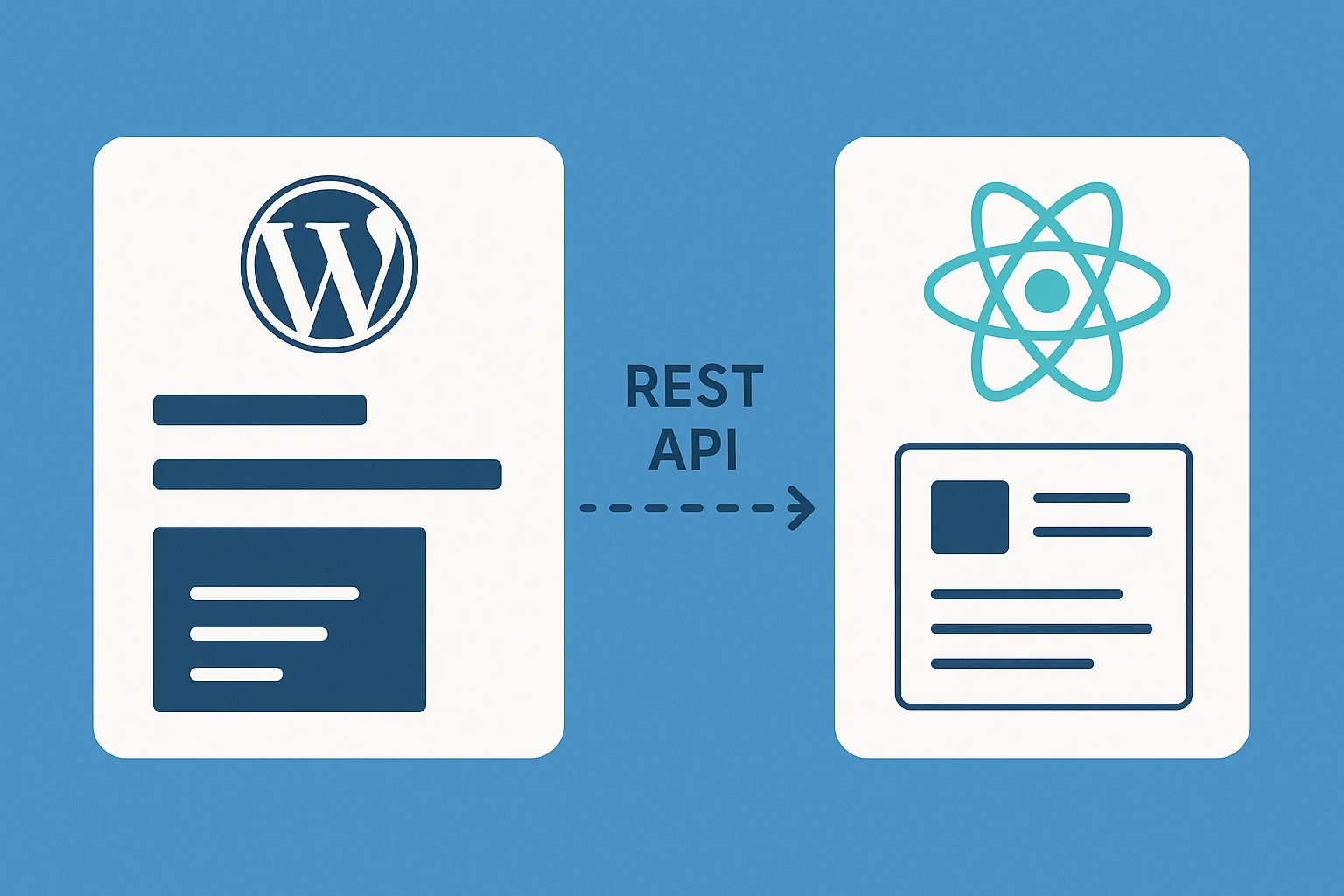
In a headless setup, WordPress remains the content hub. Editors still publish posts, manage pages, upload media, and organize taxonomies. The difference lies in how the content is delivered. Instead of rendering templates, WordPress exposes data through the REST API, which React consumes and displays.
The REST API uses predictable endpoints such as:
| /wp-json/wp/v2/posts /wp-json/wp/v2/pages /wp-json/wp/v2/categories |
If you use custom post types, enabling ‘show_in_rest’ => true during registration makes that content accessible as well.
| register_post_type(‘services’, [ ‘public’ => true, ‘label’ => ‘Services’, ‘show_in_rest’ => true ]); |
This creates a clean separation between content and frontend logic, which is helpful for organizations planning multi-platform experiences or future integrations.
Why React Works Well for Headless Projects
React is widely adopted because it can handle dynamic interfaces with predictable state management. It also allows developers to build reusable components for posts, service pages, contact forms, or product listings. For businesses with large websites, React improves the browsing experience by reducing unnecessary reloads.
React can also work alongside tools such as React Query or SWR to manage caching and background updates. These tools reduce repeated API calls and help the site feel more responsive during navigation. When combined with our WordPress development services, this structure gives businesses both speed and content freedom.
Setting Up WordPress as a Headless CMS
WordPress is headless ready out of the box, but several steps create a more reliable workflow.
Permalinks
Set permalinks to “Post Name” for clean URL structures and consistent API paths.
Custom Fields
Advanced Custom Fields (ACF) is useful when content requires structured layouts. These fields are automatically included in the API response, which allows React to map them into sections.
| post.acf.field_name |
For large websites, grouping fields by layout helps React developers keep design components aligned with the content model.
Authentication
Some applications need private routes, member dashboards, or gated content. JWT Authentication is a common method to secure these requests. Tokens are sent with each API call:
| Authorization: Bearer <token> |
This keeps sensitive content protected while allowing editors to manage everything inside WordPress.
Custom REST Routes
For performance, you can create tailored endpoints that bundle multiple sections into a single response:
| register_rest_route(‘arhpez/v1’, ‘/homepage’, [ ‘methods’ => ‘GET’, ‘callback’ => ‘arhpez_get_homepage_data’ ]); |
This reduces load on the frontend and shortens initial rendering time.
Creating the React Application
Start by creating a React project using Vite or Create React App.
| npm create vite@latest headless-react cd headless-react npm install |
A clear folder structure keeps the project organized:
| src/ api/ components/ pages/ hooks/ context/ |
Inside api/, create reusable functions for all WordPress calls:
| export async function getPosts() { const res = await fetch(`${BASE_URL}/posts`); return res.json(); } |
Centralized API helpers avoid duplication and make debugging easier.
Routing
React Router can create dynamic URL paths for posts or pages:
| <Route path=“/post/:slug” element={<SinglePost />} /> |
Fetch content by slug to keep URLs user-friendly:
| export async function getPostBySlug(slug) { const res = await fetch(`${BASE_URL}/posts?slug=${slug}`); return res.json(); } |
This method is more practical than routing by ID, especially for SEO and social sharing.
State and Error Handling
Use Context API or Zustand for shared states such as user data or theme settings. Always include fallback states:
| if (loading) return <Loader />; if (error) return <ErrorBlock />; |
A stable error system prevents UI failures during slow API responses.
Handling SEO in a Headless Environment
SEO needs careful planning in a headless setup because React renders content in the browser. To maintain visibility, you can:
- Use Next.js for server-side rendering
- Pre-render static pages during build time
- Pull metadata from Yoast fields and inject them using React Helmet
You can also add structured data using JSON schema:
| <script type=“application/ld+json”> { JSON.stringify(schemaData) } </script> |
This makes the headless site search-friendly while preserving a modern frontend architecture.
Deployment and Architecture Considerations
A stable headless setup often follows this layout:
- WordPress hosted on a subdomain such as cms.example.com
- React deployed on Vercel, Netlify, or an S3 bucket
- A CDN to cache assets and improve load time
- Optional serverless functions for authentication or form submissions
Because the frontend and backend are separate, redesigns become easier and content workflows stay uninterrupted.
Conclusion
A headless WordPress setup with React provides flexibility, speed, and room for long-term growth. WordPress remains the publishing platform while React shapes the user experience. At Arhpez Technologies, we combine modern frontend development with our WordPress development services to help businesses create stable and scalable headless applications.
Frequently Asked Questions
Is headless WordPress suitable for large websites?
Yes. It performs well when paired with proper caching, structured content models, and a React setup that avoids unnecessary API calls.
Do I need Next.js or can I use plain React?
Plain React works, but Next.js can improve SEO and load time through server-side rendering and static generation.
Can WooCommerce work in a headless setup?
Yes. WooCommerce data is available through REST endpoints. The cart and checkout need custom frontend work in React.
Can an existing WordPress site be converted to headless?
Yes. The backend stays the same. Only the frontend changes, which helps during redesigns or platform upgrades.